All posts by Helena Pendergrass

Last Week

This is my last full week of my internship. It has been such an amazing experience. It went by so quick, as I was constantly working on projects. I learned so many new skills anywhere from new Adobe Programs and how to navigate office politics. Everyone at the Lake County Sheriff’s Office has been so welcoming towards me. I have truly enjoyed working on each project and meeting other members of the agency. I had goals going into this internship, but I came out with so much more.

I now have a new pathway to follow in my Digital Arts major at Stetson. I will go take Photography classes and begin learning photo-editing software like Adobe Lightroom. Although I don’t think this will be my concentration, I have found a great appreciation of Photography art through my supervisor. Brittney showed me what I could use this for, and I think it would be a great next step in my education.

The internship experience, as I have learned, is supposed to guide someone to understand where they would like to work. This agency I worked for is the type of work environment I desire after graduation. Everyone knows they are working for the team, and nothing is done for oneself. It is all done for the good of the community, which lines up extremely well with my morals. I want to know my art will make a positive, lasting impact. With that said, the agency is creating a contract to keep me as a part time intern to continue designing graphics after I return to school. If this works out, this will expand my experience even further.  
Week 8

Since I started learning how to use the camera, Brittney took me to an event to take pictures. We went to the shooting range to where the School Resource Officer (SRO) unit was training. This was such a cool experience! Some of the officers came up to me and told me they did not want their photo taken. This was hard since I had not met some of them, so I accidentally took a few photos I had to go back and delete later. Learning to photograph groups is very new to me. You always have those who do not want photos or want specific photos. Getting used to knowing who to not take photos of was hard.

Brittney told me to take photos when they were shooting and to practice with the two cameras we brought. The first one was her favorite camera, a Sony, which she uses for almost everything. This was good for action photos, like deputies running and going through training drills. The other camera, my favorite, was the Canon. It could zoom in so much that I could see the details of the gun when I took the picture. The downside to this camera was it was hard to stay precise when zoomed in. The Sony was much better with this, but I still used the Canon more. It allowed me to keep my distance from the deputies’ shooting while also getting cool pictures.

After getting back to the office, Brittney showed me how she goes through all photos, decides what to keep, and how she edits them. Lightroom is the Adobe program she uses to view all photos taken initially. I went through the photos I had taken, picked my favorites, then started the editing process. During the photoshoot, it was very bright outside. Lightroom easily fixed the colors to make the colors of the grass and uniforms vibrant. Next week, I will continue to work on editing the photos I took, and hopefully be able to share my favorite one!

Week 7

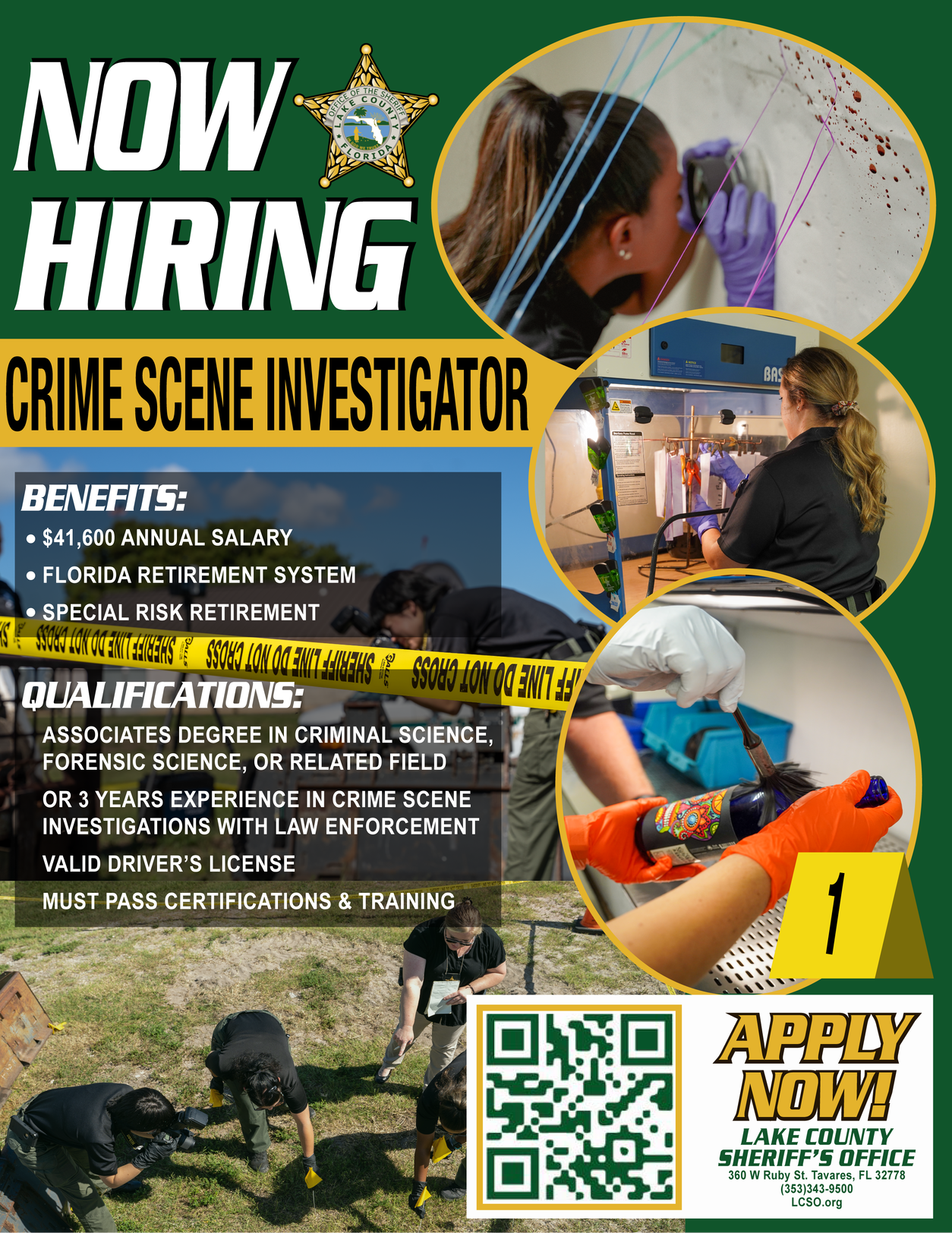
After dipping my feet back into Photoshop, I used it for my next project. Crime Scene Investigations Unit had a new opening and needed an updated hiring flyer to post. I went through the most recent photos taken of the team to showcase what the job entails. Brittney showed me a group of photos she took of the team. She had them stage a fake crime scene so she could take action shots of them. Using some clipping techniques I learned last year, I made the photos into shapes I wanted and placed them around the flyer. I met with the captain of the unit to understand what information they needed on the flyer, then submitted it to them after finished. Being able to communicate with whom the design is for is a necessary skill to have for this career. This helps understand what is needed for the design to be executed how the client wants it.

Next, Brittney asked me to design a simple shirt for her to wear when taking photos at events. She wanted to make sure that the shirt said her department but also said “Sheriff” on it. Designing this shirt was my first design solely with typography. The design helped me to understand how important branding is and to keep it consistent. I maintained the font style that the organization uses for branding. Then, I took the star logo and made it all black while I also drew a flag design to go on the other shoulder. One complication I had during this project was that I did not save an un-rasterized version of the shirt design. When I needed to change the color to all white, I was not able to edit since rasterizing the vector turns them into un-editable images. To get around this, I reached out to Sarah and asked her for help. She taught me a way to recolor the image using a tool in the Edit section of Adobe Illustrator. This tool was extremely useful for this situation, and I know it will come in handy later.

Week 6

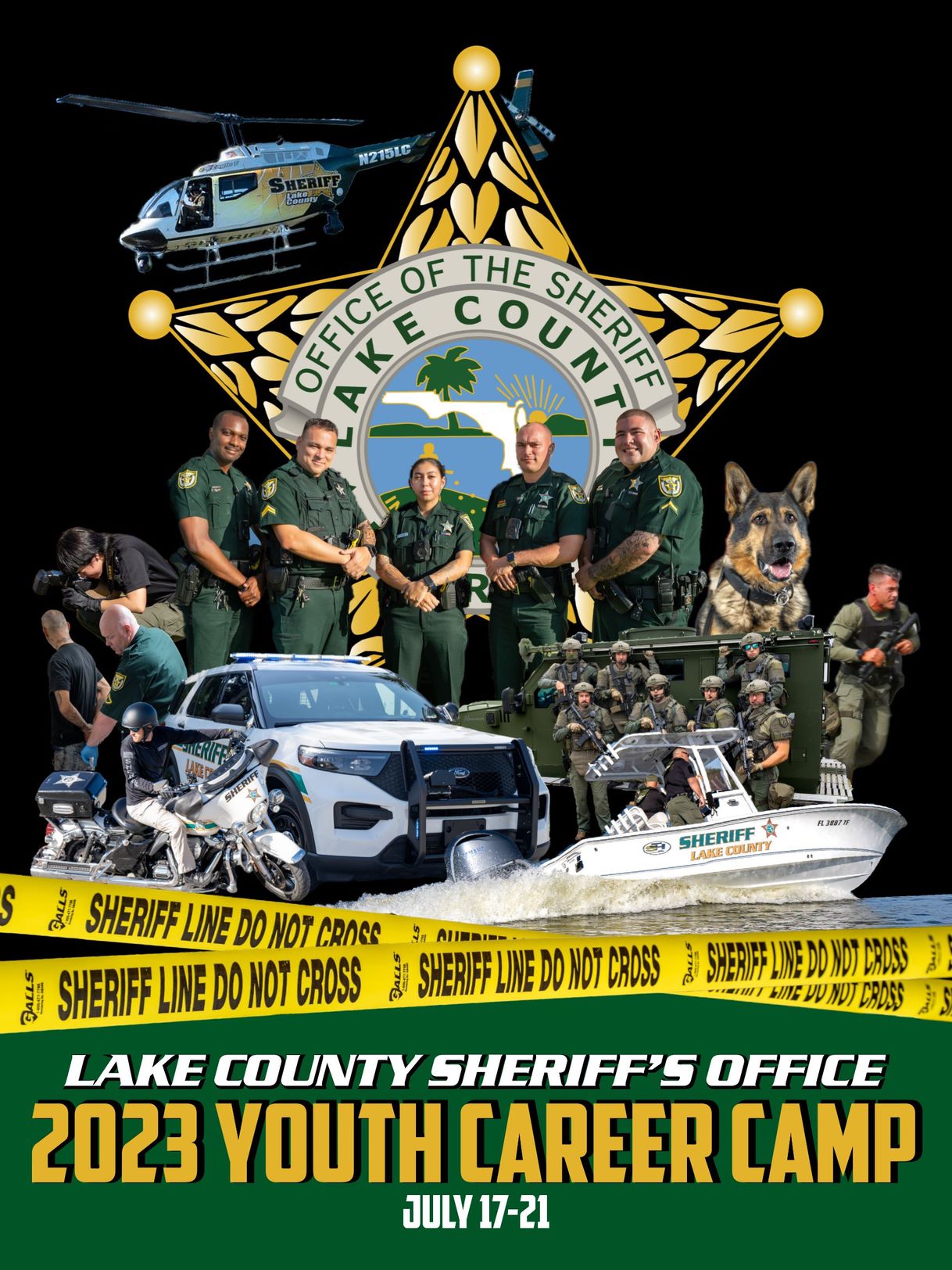
I have received my biggest project ever to take on. A deputy runs a career camp for kids to learn from different units of the Sheriff’s Office. The deputy reached out to me and asked if I could create a poster that they can post for social media. He also wanted it on a foam board to display and get all the deputies to sign. For the design itself, he wanted all units represented and to have great diversity. But the most important part to him was to make it look “cool” to the kids. What he meant by this was to make it look like an action movie poster.

To start the design, I went through all the photos Brittney has taken of the different units. I used action photos, like the photo I previously mentioned about the boat and helicopter. I used Photoshop to cut out the exact parts I wanted to use to compile the units together on the poster. It was fun seeing all these photos, but one main challenge was making sure no undercover deputies were in the photos on the board. This narrowed down the pool by a lot. After cutting all the photos to what I wanted to use, I imported them to Illustrator.

When I first learned Photoshop, I did not care about the program. It almost created more problems than helped me. After taking Digital Art Fundamentals at Stetson, my professor taught me how to use Photoshop to my advantage. I used selection tools to pull out what I wanted with photos and put filters on them. This made sure that when the images went together, they did not clash with each other. My professor taught us how to make photos stand out from each other, which I used to create shades in between photos for depth. I left space on the poster to give room for the deputies to sign the poster, so no pictures need to get covered.

But that was not the end of it: now I had to mount it on the board. I learned how to use the massive poster printer the Sheriff’s Office owns. I had to reprint a few times since the printer would make the design show darker, putting me back in Photoshop. After that, I learned how to mount the poster onto the board, cut it out, then deliver it to the camp. Although it was the most challenging, it has become my favorite project I delivered to the Sheriff’s Office.

Week 5

In a couple of weeks, LCSO is having an event to engage with the students of the Lake County Community. I have volunteered at this event already, and it helps the community engage with our deputies. Events like this educate families about cops. The most enjoyable part of the event is the photo booth they are introducing. Kids can take photos with their families and deputies. To market the event, I helped create a few flyers thanking event sponsors and took videos of the process of preparing for the event.

Edit: The event has passed, and it was a great hit in the community. I helped with some early setup, like putting up the banners and backdrops for photos. We also took photos of those sorting supplies to give at the event to post. Posting these photos shows the community what to get excited about and gets the volunteers excited to help. The week after the event, Brittney compiled the event photos and showed me how she created the videos with them. I want to explore making videos from pictures after taking the Photography class at Stetson. I was highly interested in watching her make videos. She made one for a deputy training event. Next week she will make a slide show she said I could help with.

Week 4

During week 4, I saw my designs posted. Brittney showed me how she made social media posts and gave me insight into how she plans. This process is good for me to know because I will soon help someone market their new law firm. To broaden my knowledge, I will find classes to learn more about social media use for marketing skills. Social media is a way for businesses communication, so it is vital to understand how to use it with my work.

We had numerous events to take footage of. The Sheriff gave various checks, so Brittney used her whiteboard check and camera to catch the unique moments. Since she has been letting me use the camera, I have learned different techniques for certain photos. She also showed me a few photos she has taken in the past and techniques to capture interesting photos. My favorite photo she has taken was of the LCSO marine unit boat speeding across the water as our helicopter hovers over the boat. I cannot wait to learn more about photography! I have always been interested in learning photography. Now that I have had some experience, I want to take the Digital Photography class sequence. Acquiring the knowledge of photo capturing will give me the ability to use my own photos in my designs.

Week 3

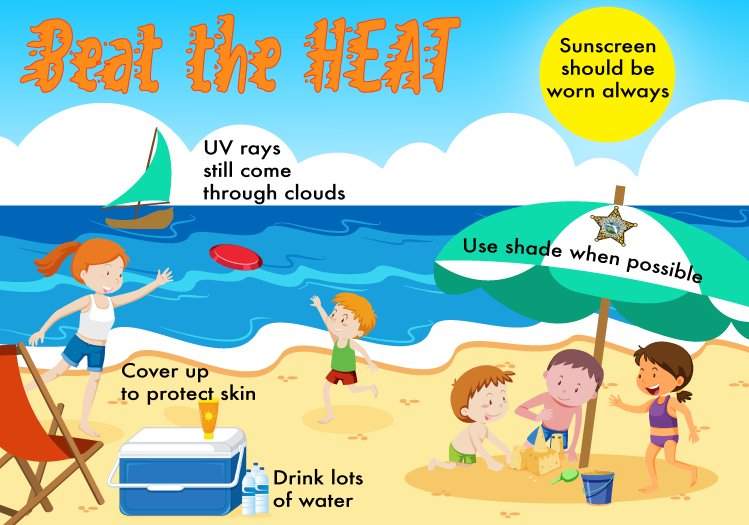
Last week I created a design for pet safety tips for the heat. I learned that Brittney, who runs all the social media accounts for LCSO, also follows other agencies to get ideas for posts. Brittney asked if I could get to work on a post for heat safety tips for the community. Using the safety organizations to gather tips for my design, I could add useful facts to spread awareness of what the post was about. Digital Art Fundamentals taught me how to use vector images to my advantage when compiling scenes in Adobe Illustrator. I used photos of items that would be seen at the beach and sketched them into the program. Then made them into vectors for the beach scene I was creating. Open space between vectors is a great way to place facts and tips for the post. I loved building on my digital design skills while also learning how text placement should go in these illustrations. They need to be found and read by the viewer with illustrations to capture what the tips are telling them.

My next project is to create a design to be posted for Patriot Day. Agencies need to be cautious about how we pay tribute to 9/11, so I worked with Sarah to learn what the agency stays away from. For example, wrong colors, wording, and other factors could trigger or offend viewers of the post. This was new for me to learn because I did not realize how big of an impact our posts could have. Knowing this, I will continue to learn about how to be aware of how my designs will affect others.

Sarah also showed me a few tools she uses when picking color schemes and making illustrations. Adobe Color allows you to select a base color and generate various types of palettes. Vecteezy is a website that lets the user download images for free commercial and private use. When I first started my design career, I learned about the rights of artwork and how to credit people. Knowing this helps me understand what is and may not be used in my designs. This is vital, especially since most of my designs are for commercial use.

Week 2

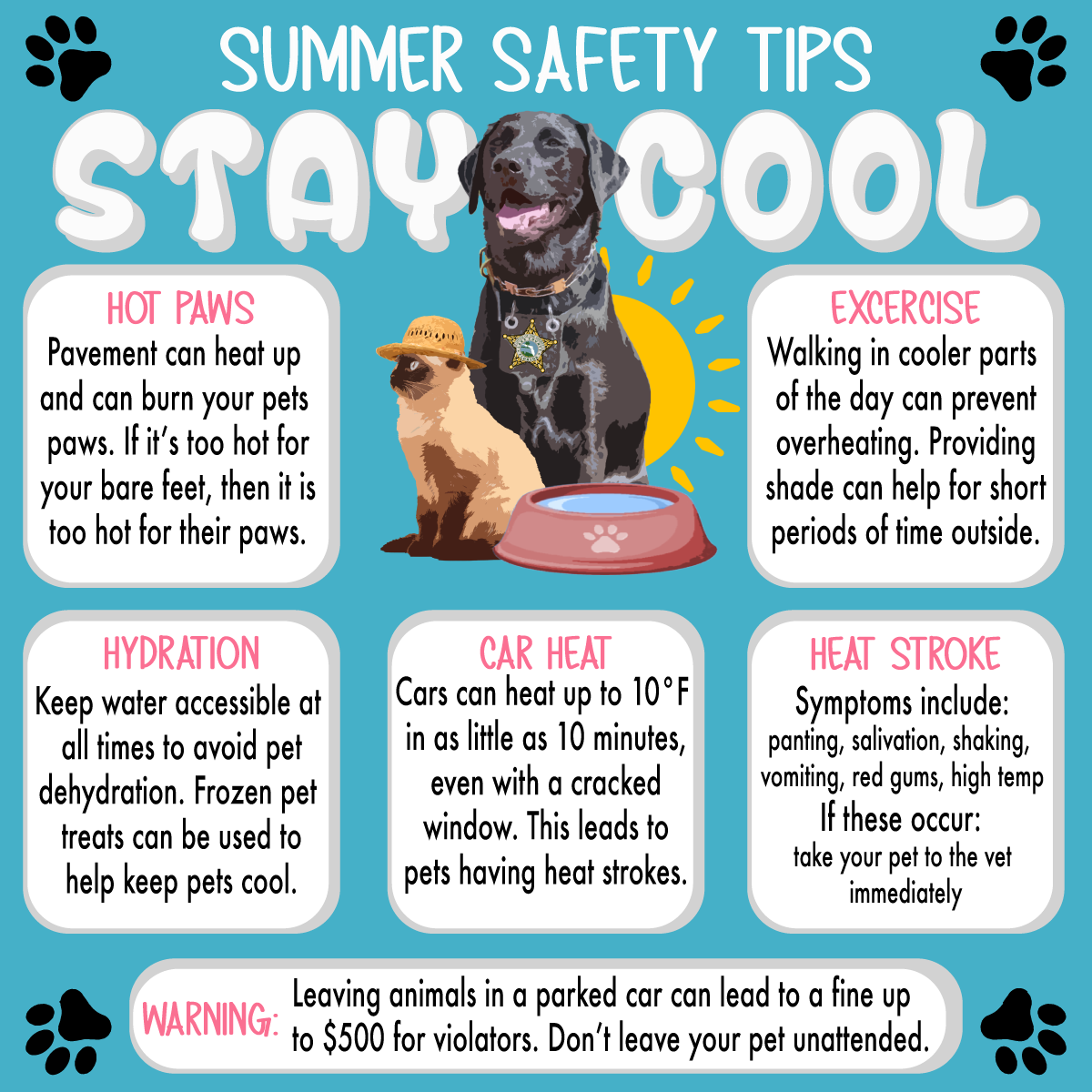
This week I worked on a post to create that will be used as a summer post. LCSO creates posts with tips to help keep the community safe. I collaborated with Brittney to create a flyer about heat safety for pets. I took an existing photo of one of the Community Service’s therapy dogs for the post and placed safety tips on the flyer. Brittney introduced me to a lady that works for the task force and she helped me find statutes on pet safety that I could put on the post. It was great to learn how they use the laws to place information on posts to keep the community safe. Here is the design I created:

Week 1

During my first week at the internship, I met with whom I will work with and walked around to see the building. The two ladies I work with use their skills to work hand in hand to create media to engage the agency with the community. Brittney, my internship supervisor, handles taking photos and attending events to document for the public to see. This includes community events, drug busts, and everything in between.

First, Sarah makes all the graphic designs for LCSO. She revamped the organization’s logo and is working with a decal company to rebrand all cars and buildings. I joined her in a meeting about placing designs on all facilities and saw how businesses collaborate. She makes designs for social media posts and uses the photos Brittney takes.

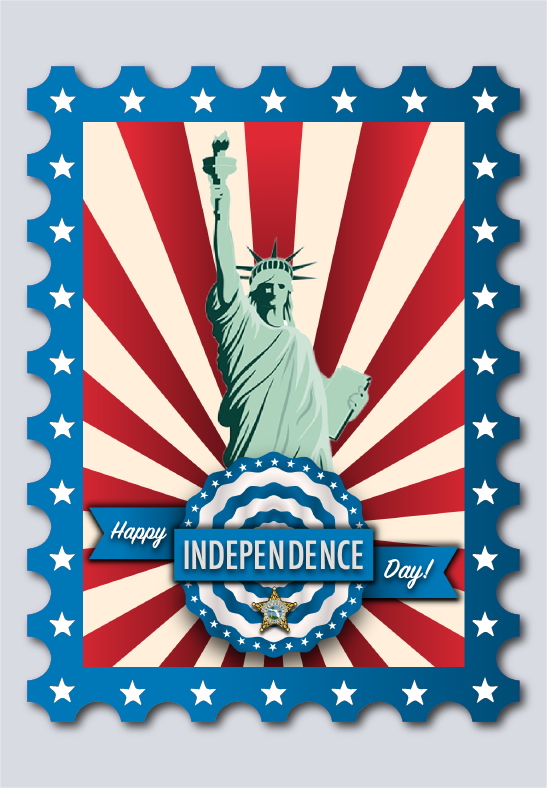
After receiving a computer and my badge for the building, I started discussing what projects Sarah would give me. The first project I worked on was the post they needed for Independence Day. I used my skills in Illustrator to make the design and worked with Sarah to ensure the design met the needs of the agency’s social media posts. I used my skills in Illustrator to create the design that will be posted on the 4th of July.

Summer Internship 2023

I have gone through the onboarding process for my internship. The Lake County Sheriff’s Office has many steps in order to obtain the internship. They require even more with getting prepared for the internship itself. HR gave me three calls to talk about what I needed to do. They gave me my ID number that all employees have and polos to wear on specific days of work. They also put me in direct contact with the ladies I will work with in the Digital Media department and we are all super excited for me to start. I can’t wait!